Showing posts with label Android Tutorial. Show all posts

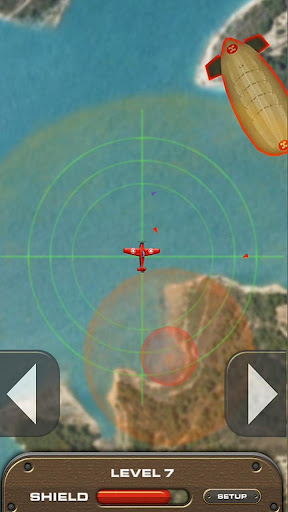
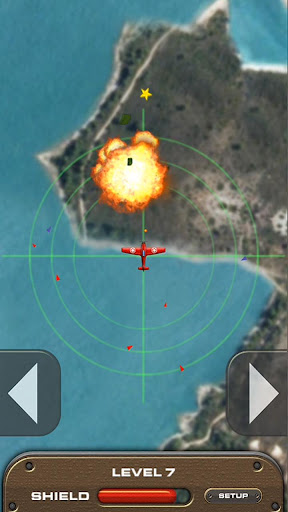
Sky Kings Wars v1.0.25 apk


Take to the skies in this 2 button shooter.

Sky Kings Wars
You're a lone fighter plane facing hordes of enemies and 40 challenging levels that will eventually lead you to the Boss.

Download Sky Kings Wars v1.0.25 apk

Install and play this simple air fighting game on your android phones!
Read more »

C.H.A.O.S Tournament HD v1.1.1 apk+data

CHAOS Tournament - is your opportunity to go through the new military adventure in the sky, but in an even more rigorous and competitive environment.
Download C.H.A.O.S Tournament HD v1.1.1 apk+data

If you are an experienced pilot - test your fighting skills, fighting on the rigid rules of our tournaments with those who already have significant experience in the management of helicopter gunships. If you're new - prove that you are a rising star, or ... or fall from the sky.
The motto of the CHAOS Tournament: In the sky, there will be only one!
Characteristics:
- Prizes
- Video of fighting for the analysis and preparation for combat available
- 2 types of tournaments: regular (includes 3 leagues) and elite (for seasoned fighters)
- The integration of games with Game Center and Facebook
- Realistic helicopter simulator and game play, rich with action and events
- Highly detailed helicopter models from leading manufacturers including the U.S., Russia and Europe (AH-64 "Apache», UH-60 "Black Hawk", MI-24 "Hind», Ka-52 "Alligator», RAH-66 "Comanche") and other
- Unique visual and sound effects
- Real maps and battle locations
- 8 training missions, you can prepare for the air fight by passing training missions
- Ability to improve performance and upgrade weapons for your helicopter
- Medals and orders for the professionalism displayed in battle
- Detailed statistics combat achievements, which is available both in game and on the website
Add friends, participate in tournaments, improve combat skills in between tournaments in training missions and online battles, and win awards and titles.

Download C.H.A.O.S Tournament HD v1.1.1 apk+data 

Install the apk and put the data files to sdcard/Android/obb/... Enjoy!
Read more »

Overclock Latest Cyanogen Mod 7 And Speed Up Your Samsung Galaxy Mini S5570

There are many overclocking kernels available out there and each one being specific for each release of cyanogen mod 7.1.0 rom. While you may find that most of the Overclocking Kernels developed for other releases of cm7 also work with the latest and the stable version of cm7 released on November 17, the developer recommends that you use these overclocking kernels exclusive to the latest cm7 version as previous versions might not be fully compatible with the latest release of cyanogen mod rom. Also, these OC Kernels are full of features and I/O Schedulers so you are in profit.

So, here we begin. First of all, download and install latest cyanogen mod 7.1.0 on your galaxy mini/pop, if you haven't done it already. Then all you have to do is get right overclocking kernels for your device then flash them in clock work mod recovery. Download one overclocking kernel from below that can be handled successfully by your device and then follow the steps given to overclock your galaxy mini.
Download Links for Overclocking Kenels:
How to install the Overclocking Kernels?  
1. Make sure you download an OC kernel of your choice from above.
2. Copy the downloaded zip file (named samrtboot-XXXMhz-fs.zip) to your SD Card.
3. Reboot your galaxy mini gts5570 into clock work mod recovery.
4. Select (with Home button) Flash zip from sdcard>>Choose Zip from sd card>> and then select the file you copied earlier to your sd-card.
5. Wait till it finishes flashing the overclocking kernels. Once it is done reboot your device.
That's it you have successfully flashed OC kernels for your latest cm7 and now have the most fast and stable custom rom for your device. To your surprise with these overclocking kernels you can now set your CPU clock speed directly from the Set CPU option in Clockwork Mod Settings in your galaxy mini Settings. There you can set CPU clock speed to your preference and also select and set CPU governors as required. But, to utilize another feature of these OC Kernels, which are I/O Schedulers you will need to use No Frills CPU Control app from the market. It is freely available there.
And, that was all about how to successfully improve your galaxy mini's speed and performance by overclocking your CPU to a more higher frequency. If you have any doubts regarding it or are stuck in the process, please fell free to ask for help in the comments below.

Read more »

Visits

free counters Search Engine Submission - AddMe

Don't Copy

Protected by Copyscape Original Content Checker